For sports photographers
Your card is still in the camera.
Your client already has the photo.
Your camera sends each JPEG to your client’s gallery over venue Wi-Fi or your phone’s hotspot.
Start free → Camera uploads on the free plan. No card. Does my camera do this?
0
cables or card readers
1
link for your client
10 GB
free, no card
Usually the upload starts when you get home. With SnapFlow, the JPEGs you send from the venue go straight into your client’s gallery. You can leave the card in the camera when you pack up.
Shoot RAW and JPEG if you want both. Set your camera to send the JPEGs to the gallery and keep the RAW files on the card for your final edit.
How it works on the day
The camera sends the photo itself
Over FTP, on the venue Wi-Fi or your phone's hotspot. No cable, no card reader and no laptop at the venue. It works with any camera that has FTP transfer built in: most current full-frame Canon, Nikon and Sony bodies. Check yours on the camera list before you sign up.
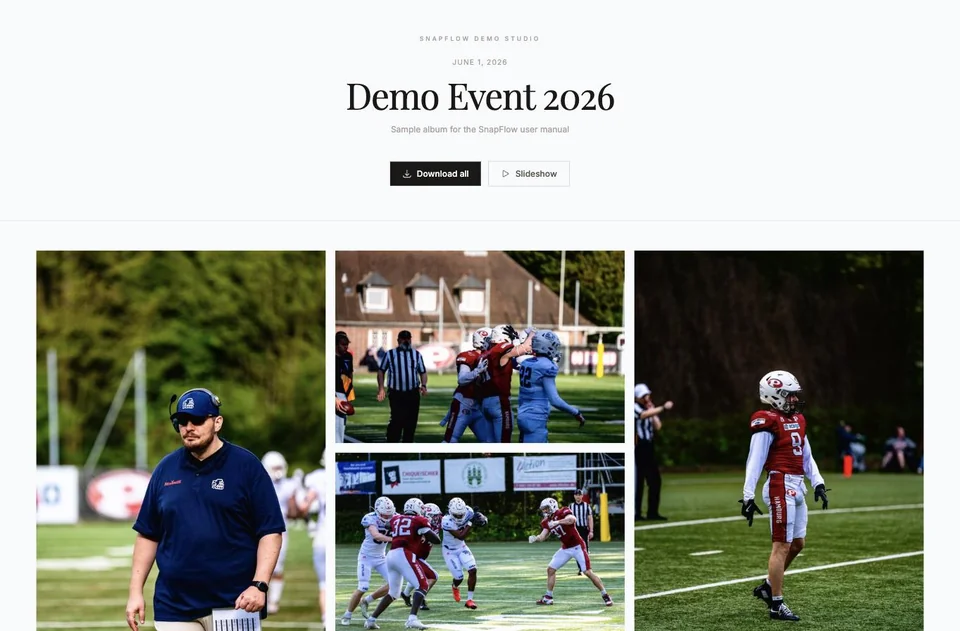
Your client gets one link
Send it before the start. They open it on a phone with no app and no login, and new photos appear while the event is still running.
A QR code for everyone else
Print it for the finish area or the entrance. Athletes and families scan it and see the same gallery. Add a password or an expiry date, or leave it open.
Sorted by person or by number when you want it
Paid plans add recognition for sorting by face, shirt or bib number, and by car number in motorsport, so each athlete has their own set. It is off until you turn it on.
Camera uploads on the free plan. No card.
Try one photo at home before your next event.
Connect your camera to your phone’s hotspot, send one JPEG, and open the gallery link on your phone.
Start free →Questions first? Email alex@snapflow.org.
One reply. Founder responds personally within 24 h. No marketing list, no autoresponder.