Some jobs in SnapFlow are a lot of small steps: create the albums for a weekend, add the same caption and keywords to a set of photos, plan the posts for an event. Since 12 July 2026 you can hand those to Claude and describe what you want in a sentence.
What it does
SnapFlow can be added to Claude (claude.ai) as a connector. Claude then works in your account, as you: it can create albums, look at your photos, set captions and keywords, and prepare social posts for you to review.
Publishing to Instagram always asks you to confirm first. Claude prepares the post and shows it to you; nothing goes out on its own.
How to connect it
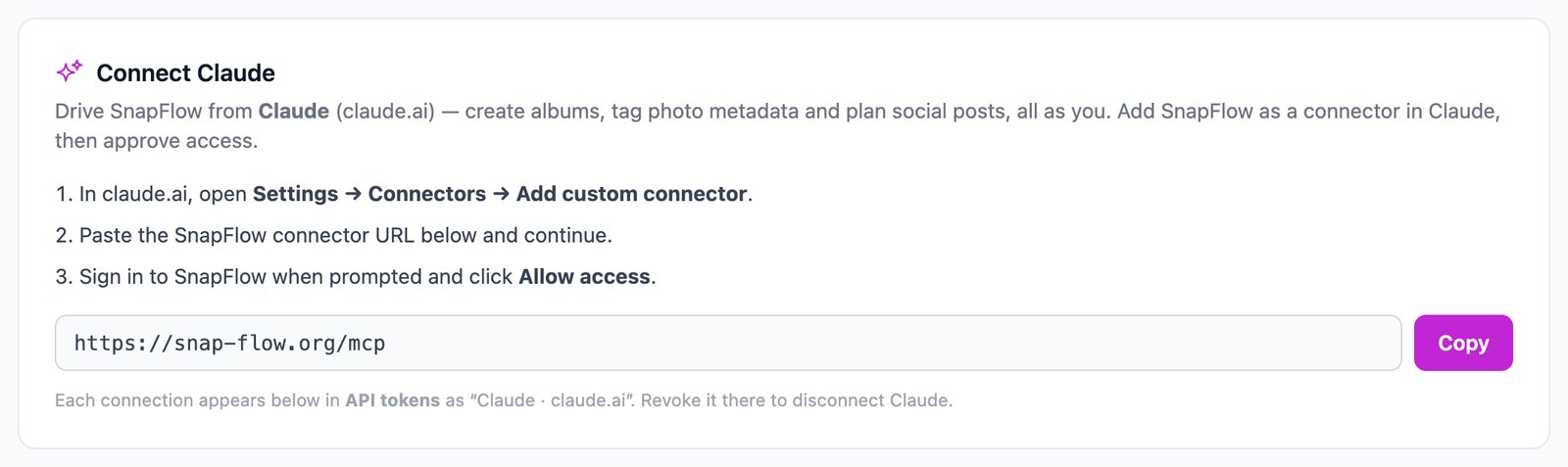
- In SnapFlow, open your profile page and find "Connect Claude". Copy the connector address shown there.
- In claude.ai, open Settings, then Connectors, and choose "Add custom connector". Paste the address.
- Sign in to SnapFlow when asked and click "Allow access".
Each connection is listed on the same profile page under API tokens. Revoke it there to disconnect Claude again.
Which plans
The connector is part of the Studio plan. It was introduced on Pro and Studio and moved to Studio on 8 November 2026.