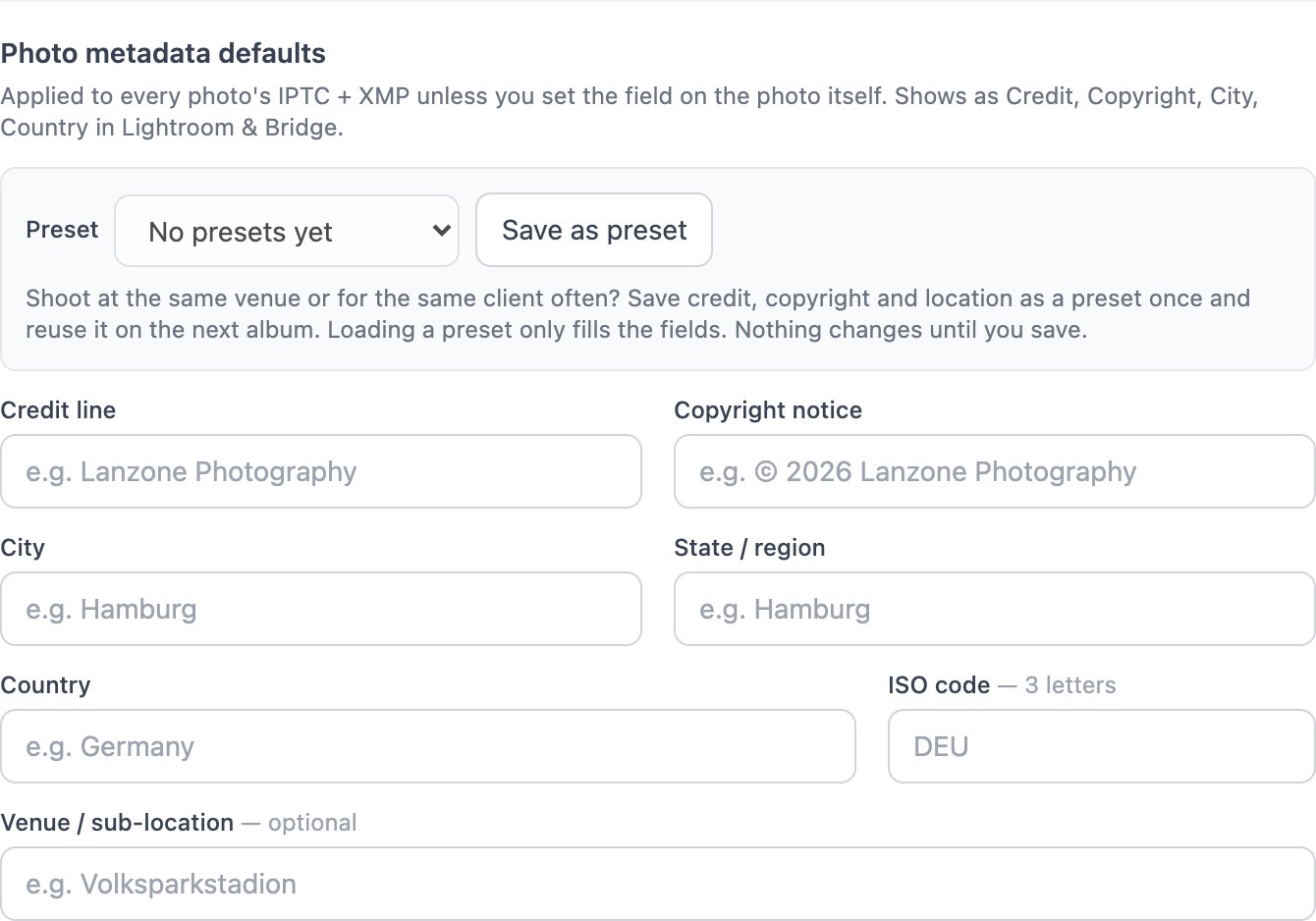
Every album has photo metadata defaults: a credit line, a copyright notice, and the city, region, country and venue of the event. They go into the IPTC and XMP of every photo in the album. Until now you typed them again for each new album, even when you were back at the same stadium for the same client. Since 17 November 2026 you save them once as a preset and load them into the next album.
Save what you type often
Open an album and go to its settings. At the top of "Photo metadata defaults" there is a new row called Preset.
- Fill in the fields you want to keep, for example the credit line, the city and the country.
- Click "Save as preset" and give it a name, such as the venue or the client.
Only the fields that have a value are saved. A preset can hold just a location, just your credit and copyright, or all seven fields.
Load it into the next album
Pick the preset from the dropdown and its fields are filled in. Fields the preset does not hold stay as they are, so a location preset leaves your credit line alone.
Loading a preset only fills the form. Nothing changes on the album or its photos until you save, so you can adjust a value first.
Keep the list tidy
Saving under a name you already use asks whether to replace the old preset. To remove one, pick it and click "Delete preset". Albums that already use its values keep them.
Where you find it
The Preset row is on the album settings page of the web app, for photographers and on workspace events. Presets are saved to your account, so they are there on every album you edit. In a workspace the list is shared: what one member saves, every colleague can load.